How Much Cloud Storage Is Actually Free, and What the Next Dollar Buys
Compare seven cloud storage free tiers, shared quotas and first paid plans, with dated sources, annual costs and checks before moving or downloading files.
A free cloud-storage allowance is useful only if it covers what you need to store. Compare the starting quota, what shares that quota, and the cost of the next suitable plan before moving files. Paying is one option when space runs out; reducing what you store or moving a verified copy elsewhere may also fit your needs. This is a comparison of published offers, not a hands-on storage or reliability test.
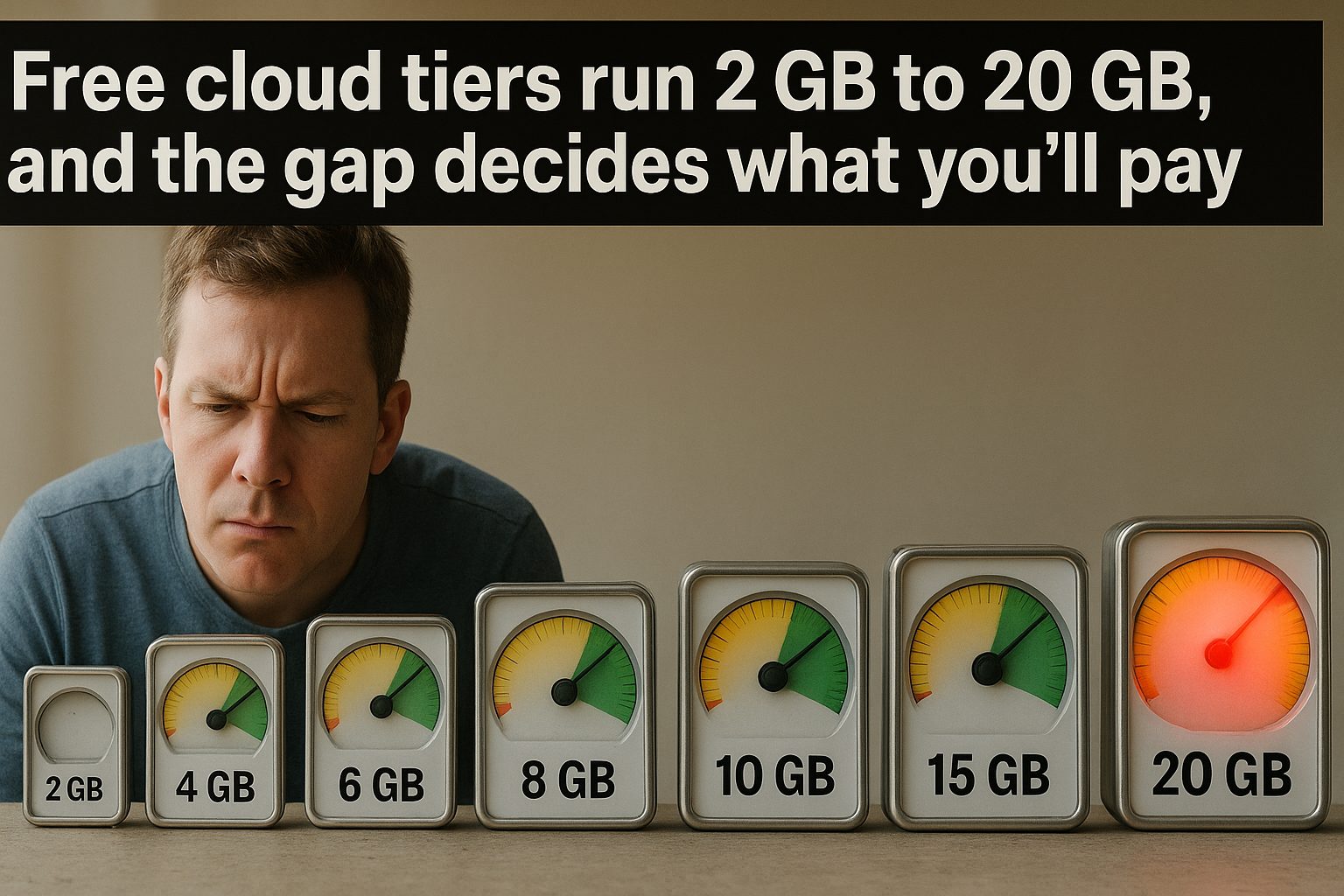
The table separates free allowances from paid upgrades. If you already know you need hundreds of gigabytes or more, use the paid storage comparison for annual cash outlay and encryption conditions. Here, the question is whether you need to pay at all, and how large the first upgrade would be.
How much cloud storage costs at the first paid step
Here are seven services, with free allowances and entry paid plans recorded in the checks below. These are not universal offers: country, account eligibility and billing period can change the available plans. Dollar quotes are US dollars; MEGA is listed separately in euros. Each linked source and its check date defines the scope of the comparison.
| Service | Free tier | Entry paid personal plan in recorded check | Published price and billing basis |
|---|---|---|---|
| Google Drive (Google One) | 15 GB, shared with Gmail and Photos | 100 GB (Basic) | $1.99/month; $23.88 over 12 payments (October 17 US quote; not reverified October 28). Plan-specific annual price unconfirmed |
| iCloud | 5 GB | 50 GB (iCloud+) | $0.99/month; $11.88 over 12 payments, before applicable US tax |
| Dropbox | 2 GB (Basic) | 2 TB (Plus) | $119.88/year upfront ($9.99/month equivalent), or $11.99 billed monthly ($143.88 over 12 payments) |
| Microsoft OneDrive | 5 GB, shared with email attachments | 100 GB (Microsoft 365 Basic); 1 TB comes with Microsoft 365 Personal | $19.99/year upfront, or $1.99 billed monthly ($23.88 over 12 payments) |
| MEGA | 20 GB | 200 GB (Essential, annual only); next is 750 GB (Pro Lite) | €40/yr for Essential; €4.99/mo for Pro Lite, before VAT — billed in euros |
| pCloud | 2 GB, up to 10 GB by completing tasks | 500 GB (Premium) | $49.99/year for 500 GB; optional lifetime payment $219, a different commitment |
| Sync.com | 5 GB | 1 TB (Personal), lowest capacity on checked individual pricing page | First year: $108 billed annually, or $12/month; regular displayed rates: $144/year or $16/month; taxes may apply |
Sync free allowance and individual pricing checked October 20, 2026. The page no longer lists the 150 GB/$42-a-year offer previously shown here. Its annual price is a monthly equivalent, not permission to pay monthly: $9 × 12 = $108 upfront for the promotional first year; the displayed regular annual rate is $12 × 12 = $144. Monthly billing is $12 during the first year and a displayed regular $16 afterward. Confirm eligibility and renewal at checkout. No purchase was made.
Microsoft Basic’s 100 GB capacity and US billing options checked October 21, 2026 on the linked OneDrive comparison page. Twelve $1.99 payments total $23.88; annual billing is $3.89 less but requires $19.99 upfront. The subscription renews unless canceled. Its separately listed mailbox allowance is not extra OneDrive file capacity. No checkout or purchase was tested.
Dropbox billing quotes were verified October 18 and pCloud’s annual/lifetime quotes October 19 for our linked paid comparison, and are reconciled here without claiming a new price check. Dropbox’s free allowance and shared-folder rules were rechecked October 31; pCloud’s free allowance and unlock conditions were rechecked October 31. MEGA paid-plan figures retain September 20 evidence from the public plan feed used by its scripted page; the free 20 GB allowance and achievement rules were rechecked October 30. The pricing page still returned placeholders for dynamic amounts in this retrieval, so no new paid-price verification is claimed. Google’s US monthly quote is reconciled to the October 17 direct-page check in our paid comparison, replacing this article’s older search-excerpt basis. MEGA’s pre-VAT euro figures are not comparable US-dollar quotes. Microsoft’s free quota and what counts toward it were directly verified October 30 in the linked storage-quota guide, replacing the earlier search-excerpt evidence. Confirm current eligibility, taxes and renewal terms before paying.
Dropbox: a shared folder also needs room in your account
Dropbox’s Basic guide, checked October 31, 2026, confirms 2 GB free. Its shared-folder rules, checked the same day, say joined folders count toward each member’s quota, except when everyone belongs to the same Dropbox team. The sender’s paid capacity does not give a Basic recipient matching space.
For a hypothetical Basic account holding 1.2 GB, a 1 GB shared folder would bring counted storage to 2.2 GB. The recipient cannot join because only 0.8 GB remains. Check the whole folder’s size before choosing Dropbox for collaboration, not just the files you personally contribute.
If you only need to view or download the material, ask for a shared link instead: receiving that link does not consume your Dropbox quota. A downloaded copy can be edited locally, but those edits do not sync back to the original. That makes a link suitable for a handoff, not a replacement for a jointly edited folder. These are documented limits and planning arithmetic, not an account test; paid prices retain their October 18 evidence.
OneDrive: count email attachments before buying more space
Microsoft’s storage-quota guide, checked October 30, 2026, confirms 5 GB of cloud storage without a subscription. That allowance includes email attachments as well as OneDrive files and photos. Mailbox storage is a separate limit, not additional space for your OneDrive files. Check the Microsoft storage area of your account dashboard before estimating how much a new upload will leave.
For a hypothetical account using 3 GB for OneDrive files and photos and 1.5 GB for counted email attachments, only 0.5 GB of the free allowance remains. A further 1 GB upload would take the total to 5.5 GB, exceeding it by 0.5 GB. The decision is whether to reduce counted storage or buy a suitable upgrade; comparing the upload only with the 3 GB file total gives the wrong answer.
The same guide says exceeding either the cloud or mailbox quota prevents sending and receiving Outlook.com email; OneDrive also stops new uploads, edits and syncing. Check both usage meters when email stops working. This is a documented quota comparison and a hypothetical calculation, not an account test. Basic’s price retains its separate October 21 verification date above.
iCloud: choose capacity for everyone sharing the plan
Apple’s pricing guide, checked October 29, 2026, confirms 5 GB free and US monthly prices of $0.99 for 50 GB and $2.99 for 200 GB. Twelve unchanged payments total $11.88 or $35.88 respectively; these are calculated spending totals, not annual subscription offers. Some US states add tax.
Apple’s Family Sharing guide, checked the same day, says up to five other family members can share the plan’s space while using separate Apple Accounts; sharing storage does not expose their private photos and documents. A shared 50 GB plan is one pool, not 50 GB per person. For a hypothetical household using 18 GB and 22 GB, that pool leaves 10 GB. If combined usage reaches 60 GB, the 50 GB option no longer fits; the 200 GB option costs $2 more each month, or $24 over twelve unchanged payments. Compare combined usage and expected uploads before choosing. This is planning arithmetic from documented limits, not an account or purchase test.
Google storage: total capacity is not extra capacity
Google’s plan page, checked October 28, 2026, says paid capacity includes the free 15 GB and covers Drive, Gmail and Photos together. A 100 GB plan therefore adds 85 GB of capacity to a free account; it does not provide 115 GB. If an account hypothetically uses 12 GB across those services, its remaining room after upgrading is 88 GB, not 103 GB. These are calculations from the plan limits, not measured account results.
This check returned regional prices: INR through text retrieval and KRW in the browser, even with US language/country parameters. It did not reverify a US price or establish that 100 GB is the smallest plan in every country. The table retains the dated US quote rather than converting a regional price. Before moving files, check your account’s country, total quota and billing interval; an English-language page alone does not establish a US offer. For larger needs, compare the full yearly bill using the same currency and payment schedule.
What the free column tells you
Capacity alone cannot tell you how long a free plan will last. A folder of documents and a video library can have very different needs, and there is no useful universal “one phone’s worth” estimate. Check your current usage and expected additions instead of assuming that 5 GB will be too small or 20 GB will be enough.
For a hypothetical account with 3 GB already stored and 0.5 GB of net additions each month, a 5 GB allowance leaves 2 GB of headroom: about four months at that unchanged rate. An upcoming 4 GB upload would exceed the allowance immediately. Use your own figures, include any email, photos or backups that share the quota, and leave room for the next large upload. This is planning arithmetic, not measured usage or a promise about a provider’s over-quota behavior.
Check what consumes the allowance as well as its size. The linked Apple guidance covers iCloud storage for backups, photos and other account data; Google’s quota covers Drive, Gmail and Photos. A reader who needs room for documents should count that other usage before comparing available space. Sync.com’s free plan also has separate sharing and transfer limits: the recorded check lists three password-protected links, three shared folders and 5 GB of monthly transfer. Storage capacity and transfer allowance answer different questions.
For each candidate, write down what you will store, how much room remains after existing usage, and which sharing or transfer features you need. Then compare payment commitments: an annual discount saves money only against the period you would otherwise pay for. If you need more than an entry plan, compare annual cost per terabyte alongside encryption and account-sharing conditions.
Compare the first paid step and the commitment
In the recorded checks above, Dropbox’s personal upgrade moves from 2 GB to 2 TB at $119.88 paid annually. That may be more capacity than a reader with a small document folder needs. The other recorded entry steps are 50 GB at Apple, 100 GB at Google and Microsoft, 200 GB at MEGA, 500 GB at pCloud and 1 TB at Sync. These dated offers describe the choices found in those checks; they do not establish why a company chose a particular allowance or guarantee which plan your account will show.
Compare the amount due now with the amount due over your intended use period. Dropbox’s $9.99 monthly equivalent means a $119.88 annual payment, while its recorded monthly option requires $11.99 each month. MEGA’s recorded Essential quote requires annual billing and is in euros before VAT. Keep currencies and tax treatment consistent rather than treating all the table’s numbers as equivalent dollars. Review a recurring charge when your storage needs change, even if the monthly amount is small.
A lifetime discount label does not establish savings
pCloud’s public pricing page, checked October 29, 2026, displayed a 500 GB lifetime offer of $219 alongside $279. That single observation does not establish a promotion’s end date or its historical selling price. Compare the payable amount with alternatives rather than assuming the offer is permanent or about to expire.
Using the October 19 annual quote of $49.99 already recorded in our paid comparison, four unchanged annual payments would total $199.96 and five would total $249.95. A $219 upfront payment is therefore $19.04 more than four annual payments and $30.95 less than five. The simple ratio is about 4.38 years; because the comparison uses whole annual payments, the upfront option first costs less when a fifth annual payment would otherwise be due. This is conditional arithmetic, not a forecast of service availability, future renewal prices or how long you will need 500 GB. The October 29 check reconfirmed the displayed lifetime offer only; it did not refresh the annual quote. Include any required add-ons and keep a separate copy of important files whichever billing option you choose.

Bonus storage is not the same as free storage
MEGA’s storage page, checked October 30, 2026, lists 20 GB free. Its achievement rules, checked the same day, separate that base allowance from temporary additions:
| Achievement | Added storage | Documented condition and duration |
|---|---|---|
| Desktop app | 5 GB | Install the desktop app; valid for 365 days |
| Mobile app | 5 GB | Install a MEGA mobile app; valid for 365 days |
| Referral | 5 GB per qualifying friend | Friend must join MEGA and install a MEGA app; sending an invitation alone is insufficient; valid for 365 days |
| VPN trial | 5 GB | Start a MEGA VPN free trial; valid for 365 days |
| Password-manager trial | 5 GB | Start a MEGA Pass free trial; valid for 365 days |
MEGA’s Achievements instructions, also checked October 30, say the extra space is removed when a bonus expires. Check the achievements shown in your own account before relying on them. These are documentation findings, not earned rewards or a trial test; this check does not establish trial renewal charges.
For a hypothetical account with three active 5 GB bonuses, capacity is 35 GB. If it stores 32 GB, losing the first bonus reduces capacity to 30 GB and leaves it 2 GB over quota—even while the other two bonuses remain. After all three expire, the same files exceed the 20 GB base by 12 GB. Bonuses earned on different dates need separate expiry reminders; do not assume they all last until a single anniversary. Before each expiry, verify a separate copy and reduce stored usage or choose sufficient paid capacity. This calculation does not establish a deletion deadline or a grace period.
pCloud: count unlocked space before moving files
pCloud’s plan details, checked October 31, 2026, confirm 2 GB at registration and a 10 GB free ceiling. Its referral guide, checked the same day, lists five tutorial rewards of 1 GB each: email verification, a file upload, desktop-app login, mobile-app login and enabling mobile Automatic Upload. Referrals add 1 GB each, capped at 3 GB; the friend must register through your unique link and verify their email. Sending invitations alone does not earn that space.
The documented arithmetic is 2 GB initially + 5 GB from tutorial tasks + 3 GB from qualifying referrals = 10 GB. Without referrals, completing those five tasks reaches 7 GB. For a hypothetical 8 GB folder, that leaves a 1 GB shortfall; two credited referrals would raise capacity to 9 GB and leave 1 GB spare. Check the allowance actually credited in your account before starting a migration. Enabling Automatic Upload can also add photos to stored usage, so compare both the capacity and the files that will consume it. These are planning calculations, not completed tasks or an upload test.
Getting your files back out, and what happens when you stop paying
A folder visible on your desktop is not proof that every file is stored locally. Before leaving a service, distinguish a downloaded copy from an online-only placeholder and check for folders excluded from desktop sync.
| Desktop service | What to check before copying | Official instructions |
|---|---|---|
| Dropbox | Include the required folders in selective sync, choose Make available offline, and wait for the solid green checkmark | Offline files and sync settings |
| OneDrive on Windows | Online-only files need an internet connection. Choose Always keep on this device for the required folders and let the download finish | Files On-Demand |
Desktop download instructions checked October 20, 2026. This is a documentation check, not a completed export test; it does not reverify pricing or cancellation policies.
For a practical exit check, compare the folders in the web account with those selected on the computer, and allow enough disk space for both the download and a separate copy. After downloading, copy, rather than move, the files to a destination outside any synced folder, such as an external drive. Microsoft’s guide says moving files outside OneDrive removes them from OneDrive, and deleting a synced file also deletes it online. Keeping the downloaded files inside the sync folder alone is therefore not an independent archive.
Disconnect from the network and open representative files from the separate copy, including a large file and each important file type. Compare file counts and sizes with the downloaded source, investigate errors, and keep the original account until the copy is verified. These are suggested checks, not a guarantee of completeness: an ordinary file copy does not establish that version history, sharing permissions or cloud-native documents were exported. Use the provider’s export options where needed and check the export contents before canceling.
Canceling renewal, losing paid capacity and losing stored data are different events. Check the effective date and what happens if your usage exceeds the remaining allowance; a stopped payment is not an export plan.
| Service | When capacity changes | What exceeding the remaining quota affects |
|---|---|---|
| Google One | Additional storage ends at the end of the billing cycle after cancellation | At or above the free quota, Gmail cannot send or receive mail, Drive uploads and sync stop, and Photos backups stop. Google says content may be deleted after two years or longer over quota. See its cancellation and storage policy. |
| iCloud+ | A downgrade or cancellation takes effect after the current billing period ends | If usage exceeds the new capacity, iCloud stops syncing or updating information and backups cannot finish. Apple’s downgrade instructions advise downloading or removing excess content first; they do not promise a retention period. |
Cancellation guidance checked October 21, 2026, for these two services only. These are documented policies, not tested cancellation outcomes; other providers’ retention rules are not inferred from them.
Before the capacity change, verify a separate copy and bring usage within the allowance you will retain. For Google, include Gmail and Photos in that calculation; for Apple, check whether Apple One still supplies storage before assuming a return to 5 GB. Do not treat Google’s two-year deletion threshold as two years of normal service. Compare the applicable data retention policies and your account’s notices before relying on any grace period.
Who each one is for
If you live inside one ecosystem — a Mac and an iPhone, or a Windows machine and Office — the hardware maker’s storage is the path of least resistance, and at 50 or 100 GB it is also cheap; it gets expensive per gigabyte only if you stay on the small plan while paying someone else for bulk storage too. If you use many platforms and want somewhere neutral to keep files, Dropbox, pCloud and Sync.com are the platform-agnostic options: compare the space you will actually use with the full bill, sharing features and recovery conditions. Sync’s checked entry plan is now 1 TB, so it is not the small-capacity $42-a-year option previously recommended here. A pCloud lifetime offer also needs a break-even calculation against a current annual quote, rather than an assumed service lifespan. If you want the most room for zero dollars, MEGA’s 20 GB is the biggest permanent free number on the table — as long as you ignore the bonus gigabytes when deciding what to put there.
Start with your current usage and the next large upload, then check shared quotas, temporary bonuses, transfer limits and the full payment due. If a free allowance meets those needs, the table supplies no reason to pay merely because an upgrade exists. If it does not, compare the smallest suitable plan with reducing stored data or moving a verified copy elsewhere. Keep an exit plan alongside the price comparison so that a future change in cost or capacity does not leave your only copy dependent on that account.
Related reading
Scheduling Links Compared: What "Free" Actually Lets You Book, and What a Year Really Costs
Compared the free plans and yearly cost of Calendly, Cal.com, SavvyCal and TidyCal. One caps you at one event type, one is free forever, one has none.
Newsletter Platforms: What "Free" Actually Gets You Before You Pay
Mailchimp, Kit, Buttondown, MailerLite and Beehiiv free tiers compared from their pricing pages. Caps run from 100 to 10,000 subscribers, plus hidden limits.
Free vs Paid Password Managers: Limits and Annual Costs
Compare Bitwarden, 1Password, Dashlane and NordPass free-plan limits, annual prices and promotional terms, with a worksheet to check costs before subscribing.

The Annual Discount Is a Loan You Make to Your Vendor
Twenty percent off for paying yearly sounds like free money. Priced as an interest-free loan with a cancellation penalty, it is a much narrower deal.